.avif)

Ultimate Guide: How to Master FCM Push Notifications in Laravel
How to wire Firebase Cloud Messaging push notifications into a Laravel application, and keep delivery reliable whether the app is open or not.
Implementing Push Notifications with Firebase Cloud Messaging (FCM) in Laravel. This article is shared as part of ARITS's weekly Knowledge Sharing Sessions.
Integrating push notifications in mobile applications enhances user engagement significantly. This blog post delves into the use of Firebase Cloud Messaging (FCM) to implement push notifications from a Laravel backend to mobile devices.
What is Firebase Cloud Messaging (FCM)?
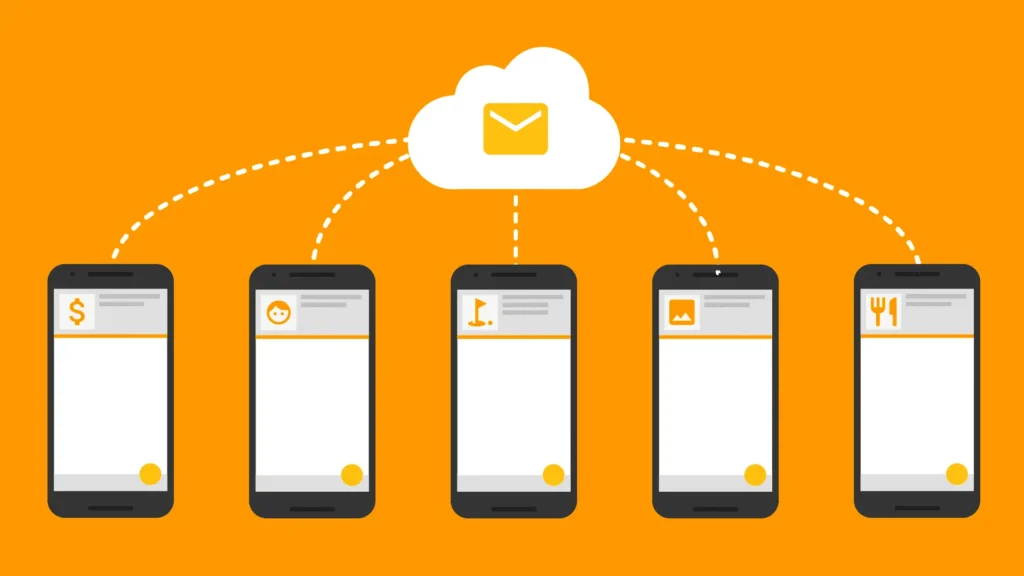
FCM is a free, cross-platform messaging solution that allows developers to send notifications across platforms such as Android, iOS, and the web. It supports up to 4096 bytes of payload data which can include both notification messages and data messages.
Setting Up FCM with Laravel:
To implement FCM with Laravel, you can use several methods including the `brozot/Laravel-FCM` package, direct cURL calls, or the 'Kreait\Firebase\Messaging\CloudMessage` component. Each method facilitates the integration of the backend server with FCM, allowing it to send various types of messages.
Types of Messages:
1. Notification Messages: These messages are automatically handled by the FCM SDK and are typically displayed in the notification tray of the device.
2. Data Messages: Managed by the client app, these messages allow the transfer of custom key-value data to the application.
Implementation Steps:
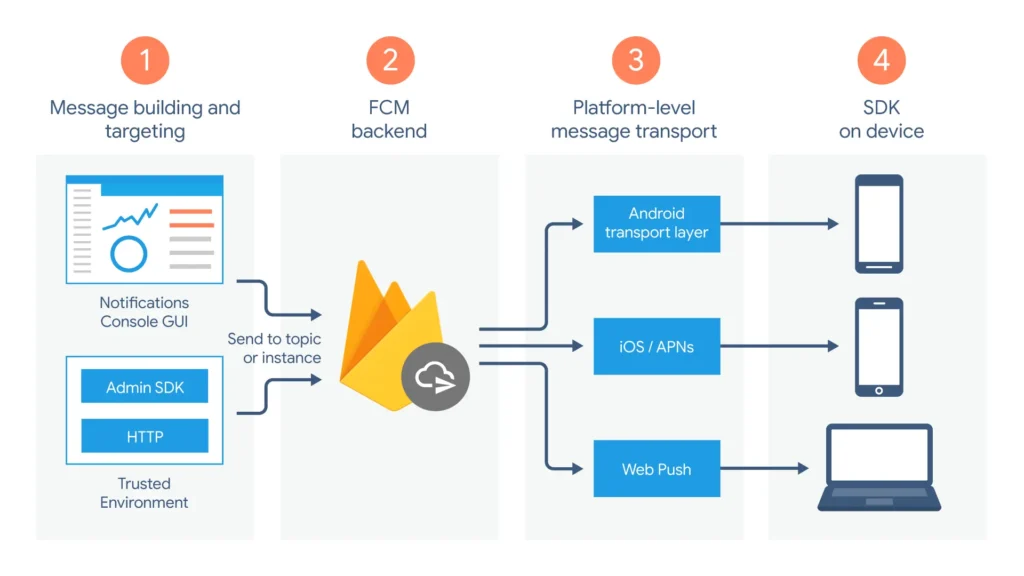
1. Set Up the FCM SDK: Configure both the server and client-side to integrate the FCM library.
2. Develop the Client App: Implement the functionality to receive and handle messages.
3. Develop the App Server: Set up the Laravel backend to send messages using FCM, configured to handle different message types and targeting options.
Key Functionalities:
Message Targeting: FCM allows sending messages to individual devices, multiple devices, or groups subscribed to topics.
Versatile Message Options: You can send pure data messages, notification messages, or a combination of both.
For detailed guides on the Laravel implementation, developers can refer to resources like the official FCM documentation or community-driven tutorials such as those available on Medium or GitHub.
Conclusion
Implementing push notifications using Firebase Cloud Messaging with a Laravel backend offers a solid sollution for real-time user engagement. By following the detailed implementation path laid out, developers can enhance their applications' interactivity and functionality.
This approach not only ensures that messages are delivered timely but also maintains application responsiveness across all user states—whether in the background or foreground.
Building something bigger than a code snippet? ARITS does full-lifecycle custom software engineering.